
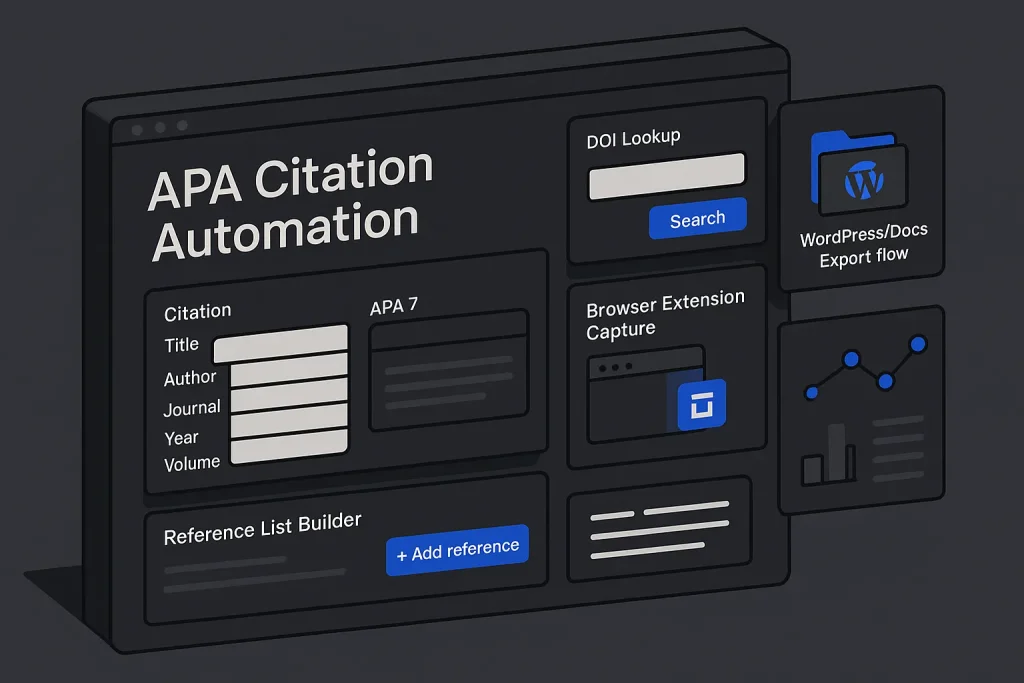
Manual citation work breaks down for the same reason manual content operations do: too many fields, too many edge cases, and too much room for inconsistency. A reliable apa format generator cuts repetitive formatting work, but it becomes genuinely useful only when users understand what data the tool needs, where generators usually fail, and how to verify APA 7 output before submission or publication.
For students, researchers, editors, and content teams, citation automation is not only about speed. It is about preserving author-date consistency, matching every in-text citation to a reference entry, handling DOI and URL rules correctly, and avoiding quiet formatting errors that can damage academic credibility. We’ve seen this repeatedly: the practical value of an apa citation generator depends less on a polished interface and more on the metadata pipeline underneath it.
What Is an APA Format Generator?
An apa format generator is a tool that converts source metadata into citations formatted under APA rules, most often APA 7th edition. In practice, it can generate reference-list entries, in-text citations, and sometimes title pages or bibliography sections from inputs such as URLs, DOIs, ISBNs, PDFs, journal identifiers, or manually entered source fields.
The strongest tools work as structured metadata processors, not just text templates. They parse publication details, map them into citation fields, apply APA punctuation and capitalization logic, and output references in a format suitable for documents, academic papers, or citation managers. That is why a modern apa reference generator usually depends on upstream metadata sources such as DOI registries, publisher pages, or bibliographic databases.
There are several common product categories:
- Single-use web tools for one-off citations, often positioned as a free apa citation generator.
- Reference managers that store libraries and export citations across multiple styles.
- Browser-assisted tools that capture citation metadata directly from webpages and databases.
- Document-integrated tools that insert in-text citations and build reference lists inside writing software.
- Workflow automation systems that generate references as part of a larger editorial or publishing pipeline.
The category matters because each type handles metadata quality differently. A basic apa format citation generator may create a usable draft citation, while a library-based system can preserve structured source data for later correction, reuse, and style switching. On our view, that distinction is where most users either save hours or create a mess they have to clean up later.

APA 7th Edition Essentials (In-Text and References)
Any apa 7 citation generator is only as useful as its alignment with APA 7th edition. Purdue OWL notes that its APA materials reflect the 7th edition released in October 2019, which remains the active standard for most current academic use. If a tool still behaves like APA 6 or mixes rules between editions, we would not treat it as reliable.
According to Purdue OWL’s APA in-text guidance, APA uses the author-date citation system. In most cases, an in-text citation includes the author surname and publication year. For direct quotations, page numbers are generally added. That means an apa in text citation generator must do more than drop a name into parentheses. It should support narrative vs parenthetical citations, direct quotation formatting, and the inclusion of page or locator details when needed.
Reference formatting is just as structured. Purdue OWL’s reference-list rules confirm that the References page starts on a new page, uses double spacing, and applies a hanging indent after the first line of each entry. Purdue also states that every source cited in the text must appear in the reference list, and every entry in the reference list must be cited in the text. This is one of the most important validation rules, and no apa bibliography generator can guarantee it on its own unless it is integrated into the writing workflow.
APA 7 also expanded author listing rules. Reference entries can include up to 20 authors before an ellipsis is used. That is a critical quality check when evaluating an apa 7th edition citation generator. Older or poorly maintained generators often truncate too early, apply outdated author rules, or mishandle long collaborative research papers.
These essentials define the minimum viable checklist for automated citation output:
A concise comparison helps separate formatting rules from generator behavior.
| APA element | What the rule requires | What generators often miss |
|---|---|---|
| In-text citation | Author surname plus year; page number for direct quotes when needed | Missing locator details or wrong punctuation |
| Reference page | Separate References page, double-spaced, hanging indent | Correct text but wrong page formatting in final document |
| Author list | Up to 20 authors before ellipsis | Outdated truncation rules |
| Text-reference match | Every in-text source appears in references and vice versa | Orphan references or missing citations |
The highest-risk errors usually come from metadata gaps, not from punctuation alone. We’d argue that this is the single biggest misunderstanding around citation automation.
What You Need Before You Generate a Citation
The fastest way to improve output from an online apa citation generator is to improve input quality. Citation tools do not invent authoritative bibliographic data; they transform what they can detect or what the user provides. When source metadata is incomplete, the tool can still produce a citation-shaped string that looks credible while containing silent errors.
Before generating a citation, collect the fields most likely to affect accuracy:
- Author or organizational author
- Publication year or full date
- Title and subtitle
- Source container, such as journal title, book title, or website name
- Volume, issue, and page range for journals
- DOI when available
- Stable URL when no DOI exists
- Edition, publisher, or conference details when relevant
For websites, the most common problems are missing dates, inconsistent capitalization, and unclear ownership of the site versus the page title. For journal articles, the most common issues are incomplete DOI capture, title casing errors, and missing volume or issue data. A good apa website citation generator or apa source generator can help, but only if the page itself exposes usable metadata.
Zotero’s official connector documentation explains that its browser connector works with Chrome, Firefox, and Safari, enabling one-click capture of bibliographic data from compatible pages. That matters because browser-assisted capture usually outperforms manual copying when metadata is properly embedded. At the same time, Zotero Connector documentation makes clear that capture quality depends on the source page and translator support.
On the practical side, we’ve noticed that users often blame the tool when the real problem is weak source metadata. The generator is only as clean as the record it receives.

Step-by-Step: Creating Accurate APA Citations
A practical citation workflow should move from metadata acquisition to formatting, then from formatting to validation. That sequence applies whether the user is working with a free apa 7 citation generator, a reference manager, or an institutional library tool.
1. Identify the source type correctly
The source type controls the citation template. A journal article, webpage, edited book chapter, report, conference paper, and standalone PDF can share overlapping fields but require different output structures. Misclassifying the source is one of the fastest ways to get a polished but incorrect citation from an apa citation maker.
2. Prefer DOI or authoritative identifiers
When a DOI is available, use it. DOI-based retrieval is typically more accurate than manual entry because the tool can fetch structured publication metadata instead of scraping an arbitrary webpage. Crossref’s metadata retrieval service exists precisely to support downstream systems that need access to publication records. According to Crossref metadata retrieval information, the open metadata corpus contains roughly 170 million records, which shows the scale many citation tools rely on.
That scale is not abstract. It is the backend infrastructure that lets an apa cite generator convert a DOI into author names, publication year, article title, journal title, and other key fields with less manual effort.
3. Generate the citation in APA 7
Once the source type and metadata are in place, choose APA 7 specifically rather than a generic APA option if the tool differentiates among editions. Many platforms support multiple styles and thousands of style files, which is useful but also risky if the wrong style is selected. The result may look close enough to pass a quick glance while still reflecting another edition or another style family.
4. Check the output against the source itself
Review author order, date, title capitalization, DOI or URL format, and source container details. If the citation was generated from a webpage rather than a DOI, compare the output directly with the publication landing page. This step is mandatory for websites, reports, and institutional pages where metadata is often inconsistent.
5. Insert the matching in-text citation
If the generator creates only the reference entry, the user must still ensure that the corresponding in-text citation uses the correct author-date logic. A strong apa in text citation generator helps here, but the writer still needs to decide whether the citation is narrative, parenthetical, or a direct quote requiring page numbers.
6. Confirm one-to-one correspondence
Before final submission, verify that every source cited in the paper appears in the reference list and every listed reference is cited in the text. This is a workflow control issue, not just a formatting issue.
The process can be summarized as an editorial pipeline:
The chart reflects process maturity rather than accuracy percentages: each later stage adds a necessary control layer. In our experience, skipping the validation step is exactly how users end up trusting a citation that looks right and is still wrong.
Automating In-Text Citations and the Reference List
Users often assume that a reference entry is the hard part and the in-text citation is trivial. In practice, both can fail in different ways. A reference generator may correctly build the entry but leave the writer to manually construct each in-text citation. Conversely, a document plugin may insert in-text citations smoothly while leaving broken references when source records are poorly maintained.
The ideal automation model links a source record to every citation instance in the document. That enables updates when author names, dates, or source fields change. In a strong system, the apa reference page generator is not separate from the in-text workflow; both outputs are views of the same structured data.
This is where reference managers and connected writing tools outperform isolated generators. If the user edits a source record once, the in-text citations and final reference list can update together. The advantage is not convenience alone. It reduces drift between text citations and bibliography entries over the life of a draft.
For academic writing, a robust automation setup should support:
- Source library storage rather than one-time generation only
- Repeat insertion of the same source across many document sections
- Automatic rebuilding of the full References list
- Switching between APA 7 and other styles when required
- Manual override for edge cases such as reports, datasets, or unusual webpages
Mendeley’s documentation notes support for many styles including APA and MLA as well as more than 10 Chicago variants, and style files number in the thousands. That breadth is useful, but it also explains why users sometimes get inconsistent punctuation or formatting: the selected style file matters. A tool described as an apa style citation generator is only reliable if the actual style configuration is correct and current.
We consider this a practical dividing line. A one-off apa bibliography generator can be enough for a short paper, but for long projects, linked records beat copy-paste every time.

Quality Control: DOIs, URLs, Capitalization, and Dates
The most common citation failures are not dramatic formatting collapses. They are small metadata inaccuracies that survive unnoticed because the citation looks complete. In academic work, those errors add up fast.
DOIs
DOIs are often the cleanest path to accurate references because they point to structured metadata rather than scraped page text. They are especially useful for journal articles and conference papers. Crossref’s ecosystem demonstrates how central linked metadata is to citation automation. In May 2026, Crossref reported more than 2 billion citation links, which shows the depth of connection many automated citation systems can draw on.
Still, DOI handling can break when:
- The DOI is missing from the source page
- The tool stores an outdated DOI format
- A landing page is cited instead of the underlying scholarly record
- The user pastes a raw DOI string into the wrong source type template
URLs
URLs are essential for many web-native sources, but they are less stable than DOI-backed records. A strong apa website citation generator should preserve the URL accurately and avoid injecting unrelated tracking parameters. Users should prefer canonical page URLs when available.
Capitalization
Title capitalization errors are among the most visible generator mistakes. A tool may preserve headline-style capitalization from a webpage even when the citation format requires sentence-style treatment for parts of the reference. This is especially common when data is scraped from HTML title tags rather than from clean bibliographic metadata.
Dates
Missing or ambiguous publication dates are a persistent failure point for web citations. Some pages display “updated” timestamps, some display only a year, and some show no publication date at all. A generator may fill the field incorrectly or leave it blank without warning. The user has to decide whether the visible date belongs to the source and whether the page is a stable publication or a frequently updated web resource.
A compact QA matrix makes these failure points easier to review.
| Field | Why it matters | Typical generator failure | Manual check |
|---|---|---|---|
| DOI | Best source of structured scholarly metadata | Missing, malformed, or replaced by article URL | Compare with publisher or DOI landing page |
| URL | Needed for many web sources | Tracking parameters or wrong landing page | Use canonical stable page URL |
| Capitalization | APA formatting depends on title treatment | Headline case copied blindly | Review title against APA rules and source metadata |
| Date | Author-date accuracy depends on it | No date, wrong date, or updated date confusion | Confirm publication date on source page |
The best correction strategy is to treat generated citations as drafts that pass through a structured validation step. We think this should be standard practice, not an optional extra.
Batch and Scale: Bulk URLs, PDFs, and Browser Extensions
Single-source citation generation is straightforward. The operational challenge appears when users need to process many sources at once. Literature reviews, multi-author projects, research assistants, and editorial teams often work with mixed source types: webpages, journal articles, book chapters, reports, and saved PDFs.
Browser connectors are one practical answer. As documented in Zotero’s guide to adding items, saving a PDF directly is possible, but richer metadata often comes from creating or linking a parent item with identifiers such as a DOI or ISBN. That distinction matters. A raw PDF file can be citation-poor, while a DOI-linked parent record can supply cleaner publication fields.
For bulk workflows, source acquisition quality usually follows this order:
- DOI or ISBN lookup from a structured registry
- Publisher or database metadata capture through browser tools
- Institutional webpage capture with visible publication details
- PDF-only extraction
- Manual field entry
The lower the source sits on this list, the more manual QA is required. This is why a scalable apa citation tool should support mixed ingestion methods rather than depending entirely on URL scraping.
Open-access scale makes this especially relevant. DOAJ reports 23,054 journals and 13,074,885 article records as of June 2026. That volume illustrates a practical reality: users increasingly cite materials from a broad, distributed web of open-access sources, and not all expose metadata with the same quality.
The chart is a scale illustration: journal count, metadata records, and citation links sit at very different orders of magnitude but together explain why automation depends on structured ecosystems. On our reading, this is also why an online apa citation generator that works fine for a simple webpage can struggle badly with mixed-source academic research.

Common Generator Errors and How to Fix Them
Even a good apa 7 format generator will fail on certain source patterns. The issue is not whether errors happen. The issue is whether the user knows where to inspect the output and how to repair it efficiently.
Wrong source type
A webpage entered as a journal article or a report entered as a website will create structural errors that no punctuation fix can solve. The repair is to recategorize the source before editing fields.
Corporate author confusion
Web sources often use an organization as author. Generators may duplicate the site name, omit the author, or misread navigation labels as publication metadata. Fix the author field manually and verify whether the organization is both author and site name.
Date mismatches
When the generator cannot find a clear publication date, it may default to a retrieval date pattern, no-date notation, or an unrelated page update stamp. The solution is to inspect the source page and decide which date, if any, is publication-relevant.
Capitalization drift
Title fields scraped from HTML often preserve promotional capitalization that needs normalization. Review sentence case and proper nouns carefully.
Broken author order
Metadata imports sometimes invert given names and surnames, collapse multiple authors into one string, or truncate collaborative works incorrectly. For multi-author journal articles, this is one of the highest-priority checks.
DOI replaced by URL
If a DOI exists, the reference should usually reflect that DOI-backed identity rather than only the article’s public URL. The fix is to retrieve or insert the DOI manually and regenerate or edit the entry.
Users who work repeatedly with edge cases benefit from storing corrected templates or maintaining a master source library instead of regenerating the same imperfect citation each time. We’ve found that this is where a lightweight apa source generator starts to show its limits.
Automating APA References in a WordPress/Docs Content Pipeline
Citation generation is usually discussed in the context of student papers, but the underlying workflow is broader. Research-driven blogs, policy sites, technical documentation teams, health publishers, and B2B content operations also need structured references. The difference is that their output may end up in Google Docs, CMS drafts, knowledge bases, or WordPress rather than a university submission portal.
In those environments, citation automation becomes a pipeline problem. The team needs a repeatable way to capture sources, normalize metadata, format reference entries, and inject them into the final document or webpage without introducing drift between drafting and publishing.
A practical pipeline often looks like this:
- Collect source URLs, DOIs, and PDFs in a research layer
- Resolve metadata into structured fields
- Map each source to a content section or factual claim
- Generate in-text references or attribution markers where needed
- Build a formatted reference section automatically at the end
- Run final QA for duplicates, missing dates, and broken source links
This is conceptually close to larger content automation systems. Teams already automating briefs, outlines, article drafts, and publishing can extend the same logic to reference handling. For example, an AI assistant for automated SEO content operations can standardize repetitive formatting steps the same way a citation engine standardizes repetitive bibliographic formatting.
For editorial teams using WordPress, the value is operational clarity: references can be produced from validated source records instead of being pasted manually at the end of an article. A connected workflow also supports consistent updates when a source URL changes or a draft is expanded with additional citations.
On our side, we see this as a business process issue more than a formatting issue. Once references live inside the workflow, a better apa reference page generator becomes part of production quality, not just a convenience add-on.

Selection Criteria: How to Choose a Reliable APA Generator
Choosing an apa style reference generator should be treated as a workflow decision, not as a convenience decision. The best tool for a student writing one essay is not always the best tool for a research group, academic editor, or content team processing dozens of source types.
Evaluate tools using these criteria:
- APA 7 currency: confirm that the generator clearly supports current APA 7 rules.
- Metadata sourcing: prefer tools that can use DOI, ISBN, or trusted bibliographic data instead of page-title scraping only.
- Source-type coverage: make sure it handles websites, journal articles, reports, books, chapters, and conference items relevant to your work.
- Editable records: the user should be able to correct metadata before final output.
- In-text plus references: avoid tools that handle only half of the workflow.
- Library and export support: useful for recurring projects, group work, and document integration.
- Batch capability: important for literature reviews and multi-source writing.
- Auditability: the tool should make it easy to see where each citation came from.
A short comparison framework helps clarify priorities.
| Use case | Best-fit tool profile | Critical requirement |
|---|---|---|
| Single essay or short paper | Simple web-based generator | Manual review before submission |
| Thesis or literature review | Reference manager with library and document integration | Stable source record management |
| Research team collaboration | Shared library and consistent style control | Edit rights and metadata discipline |
| Publishing or content operations | Automation pipeline linked to drafting and publishing | Reference generation from structured workflow data |
The right tool is the one that minimizes repeated correction work at the scale you actually operate. We would also add one more filter: if a tool makes manual correction awkward, it will become expensive very quickly.
The line chart expresses relative workflow preference: structured identifiers and publisher metadata usually outperform PDF-only and manual entry.
How SEO Autopilot Formats Reference Sections Automatically
Reference formatting is a narrow but useful example of a broader automation principle: repetitive structured output should come from a controlled pipeline, not from manual assembly at the last minute. That is the same operating logic behind SEO Autopilot.
When content teams need research-backed articles at scale, formatting tasks multiply quickly: citations, source sections, headings, internal links, metadata consistency, and publishing steps all compete for time. SEO Autopilot helps systematize that work by turning source-driven content production into an automated workflow that can generate structure, draft content, and prepare publication assets with minimal manual handling. More details are available on the automated WordPress content engine for SEO teams and on the writer-human-AI content pipeline for WordPress.
For teams publishing educational, technical, or research-heavy material, this matters because reference sections can be treated as a formatting output generated from validated source inputs rather than a separate manual task. In operational terms, that means cleaner handoff between research collection, article drafting, editing, and WordPress publication. To evaluate the product directly, use the official SEO Autopilot site.
We think this is where content ops and academic-style citation logic overlap in a useful way. If your team already runs a structured workflow, adding an apa style reference generator or even an apa title page generator layer is far easier than fixing references after publication.

Compliance and Academic Integrity: Using Generators Responsibly
A citation generator is a formatting assistant, not a substitute for source evaluation, reading comprehension, or authorship responsibility. Academic integrity requires that sources be actually consulted, represented accurately, and cited in a way that reflects what was used in the text.
The responsible use model is straightforward:
- Use generators to reduce formatting labor, not to fabricate scholarship
- Verify every generated citation against the source record
- Confirm that quotations and paraphrases match the cited material
- Keep in-text citations and references aligned throughout revisions
- Document unusual source decisions for team or supervisor review
This applies in academic writing and in professional publishing. Automated systems can save time and increase consistency, but they do not remove the need for editorial judgment. Teams dealing with AI-assisted workflows should apply the same discipline discussed in AI ethics and fact control in content workflows: automation is strongest when paired with explicit review standards.
Our position is simple: a generator should reduce mechanical work, not outsource responsibility. That applies whether you use a free apa citation generator, a premium apa citation tool, or a full apa 7 format generator inside a larger editorial stack.
We think the real takeaway is straightforward: the best apa format generator is not the one that produces the prettiest citation fastest, but the one that fits a disciplined workflow. Tools that rely on strong metadata, support APA 7 cleanly, and keep in-text citations tied to reference records are the ones that save real time. Tools that hide weak inputs behind polished output usually create more correction work later. For students, researchers, and content teams, the winning approach is the same: automate formatting, then review like an editor.
Looking ahead, we expect citation tools to get better at metadata retrieval, browser capture, and document syncing. We also expect the gap to widen between simple one-off generators and systems built around structured source libraries. In practical terms, that means the future belongs less to the generic apa citation maker and more to workflows where an apa reference generator, apa cite generator, and apa reference page generator all pull from the same reliable record.
FAQ
Is it safe to use an APA citation generator?
Yes, if it is used as a formatting aid rather than a trust-only solution. An apa citation generator can save time, but you still need to verify authors, dates, DOI or URL data, and source type before submitting academic work.
How do I generate APA 7 in-text citations correctly?
Use the author-date format and add page numbers for direct quotations when required. An apa in text citation generator can help with the structure, but you still need to choose the correct author form, year, and locator details based on the exact source.
What information is required to cite a website in APA?
You generally need the author or organization, date, page title, website name when applicable, and the URL. An apa website citation generator works best when the page clearly exposes publication metadata and a stable canonical URL.
Can I create an APA reference list automatically from URLs?
Yes, many tools can build references from URLs, especially when the page contains structured metadata. However, URL-based generation is less reliable than DOI-based retrieval, so review capitalization, dates, and author fields carefully before relying on the output from an online apa citation generator.
How do I fix DOI and URL formatting from a citation generator?
Start by checking whether the source has a DOI and whether the generator used it or substituted a webpage URL. If the output from an apa reference generator looks wrong, compare it with the publisher or DOI landing page, then correct the source record and regenerate or edit the citation manually.