
Reliable synthetic data starts with a precise definition of randomness, not with a formula copied into a column. A random series generator is only useful when the stream actually fits the job: uniform or weighted, with or without repeats, volatile or frozen, pseudorandom or externally sourced. In Excel, that choice decides whether your model is good enough for simulation, teaching, sampling, testing, or reporting. We’ve seen teams skip this step, and it almost always creates cleanup work later.
Most spreadsheet mistakes happen because people mix requirements. Someone asks for a number series generator, but what they really need is a shuffled roster, a bounded integer stream, a reproducible classroom example, or a random number generator 1-100 no repeats. Those are not the same output. They should not be built the same way.
This logic matters outside spreadsheets too. In content systems, uncontrolled randomness creates noise. Controlled variation creates coverage. On our view, that is the real dividing line: randomness is useful only when it stays inside a clear structure.
What Is a Random Series Generator and When to Use It
A random series generator produces a sequence of values based on rules you define. Those rules can cover the range, data type, replacement behavior, distribution shape, and refresh behavior. In practice, the phrase is broader than it sounds and usually refers to one of several tasks:
- Generating continuous values between two numeric bounds
- Generating integers in a fixed interval
- Creating a random number list generator for one or many columns
- Shuffling existing items such as names, IDs, or row numbers
- Producing a no-duplicates sample from a finite set
- Creating weighted categorical outcomes instead of uniform ones
The difference between these use cases is not academic. It is operational. If you need 100 independent integers from 1 to 100, duplicates may be fine. If you need every number exactly once in random order, sampling with replacement is wrong and shuffling is right. If you need a random name sequence generator for assignments, you usually want a shuffled list, not repeated draws.
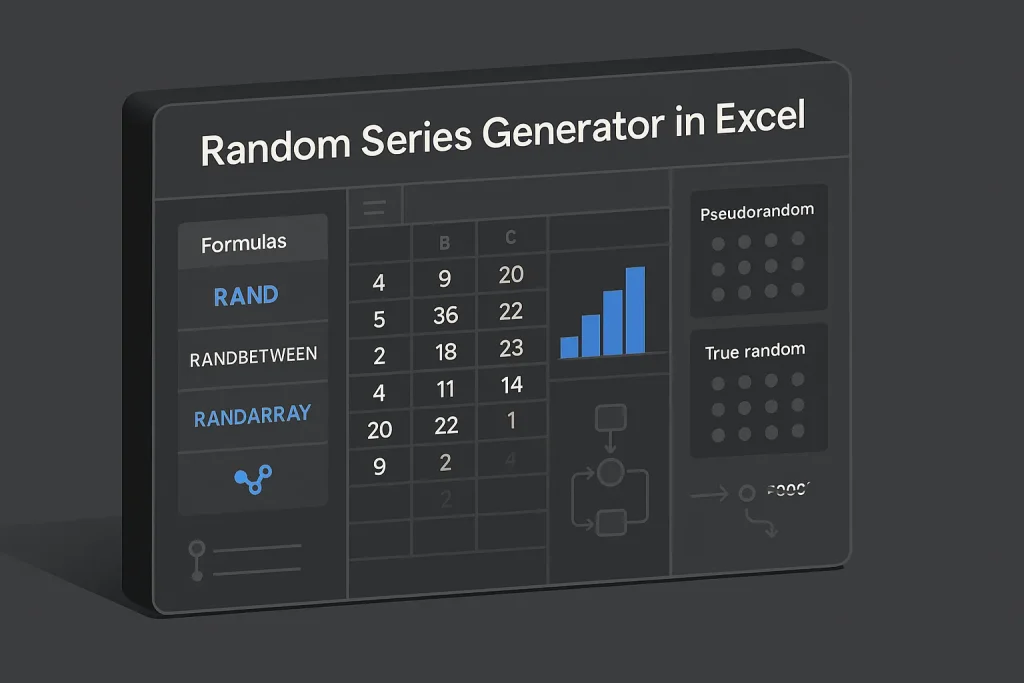
In Excel terms, a random number series generator is not one function. It is a design choice between RAND(), RANDBETWEEN(), RANDARRAY(), SEQUENCE(), SORTBY(), and sometimes INDEX().

Before you touch formulas, define five parameters: range, whole vs decimal values, repeats allowed or not, refresh policy, and validation method. That one habit removes most ambiguity from the build. On our experience, it also prevents the classic “the formula works, but the output is wrong” problem.
| Need | Best Excel Pattern | Why It Fits |
|---|---|---|
| Continuous random decimals | RAND() | Returns a value in [0,1) for scaling to custom intervals |
| Integers in a small range | RANDBETWEEN(bottom, top) | Direct inclusive integer generation |
| Large spill-based list | RANDARRAY() | Generates full arrays in one formula |
| No-repeat 1–100 order | SORTBY(SEQUENCE(100),RANDARRAY(100)) | Shuffles a complete distinct set |
| Shuffle names or IDs | SORTBY(list,RANDARRAY(ROWS(list))) | Applies random sort keys to existing items |
The right formula follows the structure of the problem, not the other way around.
True Random vs Pseudorandom: Seeds, Uniformity, and Reproducibility
The first real split is between true random and pseudorandom generation. A true-random service relies on an external physical entropy source. A pseudorandom generator is algorithmic: deterministic underneath, but built to behave randomly enough for practical use.
RANDOM.ORG’s FAQ describes its output as based on atmospheric noise. That is why some users search for a random org generator when they want an external entropy source rather than spreadsheet logic. By contrast, NIST SP 800-90A is a recommendation about deterministic random bit generators, which makes the point clearly: many software generators are pseudorandom, not physically random.
For spreadsheet work, pseudorandom is usually the better choice. Simulations, Monte Carlo models, training materials, and controlled tests benefit from stable logic and reproducibility. True-random web services make more sense when external auditability matters more than repeatability, such as public draws or externally verified selections.
Uniformity is a separate question. A generator can be pseudorandom and still target a uniform distribution across outcomes. For a categorical range like 1 to 4, equal probability means each value should receive probability 0.25. Weighted designs deliberately move away from that target.
Seed control matters a lot in programming because it lets you recreate the same stream. Excel does not expose simple native seed management the way dedicated statistical tools do. So most Excel workflows use practical substitutes instead: freeze outputs as values, avoid unnecessary recalculation, and document the generation context. It is not elegant, but on practice it is usually enough.
In analytical work, the better question is rarely whether a stream is “truly random.” It is whether the stream is appropriate, auditable, and stable enough for the task. We consider that the more useful standard.
Excel Essentials: RAND, RANDBETWEEN, and RANDARRAY Explained
Excel’s core random functions cover most day-to-day needs. Each one solves a different kind of problem.
RAND()
Microsoft’s RAND documentation states that RAND() returns an evenly distributed random real number greater than or equal to 0 and less than 1. The same documentation notes that the value recalculates whenever the worksheet recalculates.
That makes RAND() the base layer for continuous numeric generation. It is also the mathematical basis for interval mapping through the standard scaling expression:
=RAND()*(b-a)+a
This maps the unit interval onto any numeric interval from a to b. If decimals are acceptable, this is usually the cleanest method.
RANDBETWEEN()
Microsoft’s RANDBETWEEN documentation confirms that the function returns a random integer in an inclusive interval. For a random number 1 to 4, the direct formula is:
=RANDBETWEEN(1,4)
This is simpler than scaling RAND() when integer outcomes are the goal. It also avoids edge-handling mistakes that show up when users round scaled decimal values badly. Small detail, big difference.
RANDARRAY()
Microsoft’s RANDARRAY documentation gives the syntax RANDARRAY(rows,[columns],[min],[max],[whole_number]). This function is strategically different because it generates entire arrays in one formula.
For example, a random number list generator that outputs 100 integers from 1 to 100 can be built as:
=RANDARRAY(100,1,1,100,TRUE)
That single formula creates a spill range instead of forcing you to fill 100 separate cells with RAND-based logic. In modern Excel, this is usually more efficient and much easier to maintain than old copy-down patterns.

Dynamic arrays and spill behavior
Microsoft’s dynamic arrays guidance explains that formulas can spill into neighboring cells automatically. It also documents the #SPILL! error when the output area is blocked.
This matters in real worksheets. RANDARRAY does not usually fail because the logic is wrong. It fails because the output cells are occupied. In production files, keep spill zones clear and visibly separate them from static reporting areas. We’ve found that one layout decision saves more troubleshooting time than most formula tweaks.
The practical progression is simple: use RAND for continuous values, RANDBETWEEN for single bounded integers, and RANDARRAY when the output is a whole dataset rather than one cell.
Generate a Random Number List (Single or Multi-Column)
A random number list generator is one of the most common spreadsheet requests. Modern Excel makes it much cleaner because spill formulas can generate full blocks from a single expression.
Single-column list of integers
To generate 100 integers from 1 to 100 with replacement:
=RANDARRAY(100,1,1,100,TRUE)
This creates 100 rows and 1 column. Since draws are independent and with replacement, duplicates are possible. That is correct behavior for this setup.
Multi-column matrix
To generate 20 rows and 5 columns of integers from 10 to 99:
=RANDARRAY(20,5,10,99,TRUE)
For decimal streams from 0 to 1, the minimal form is:
=RANDARRAY(20,5)
For decimal streams in a custom interval, set min and max without whole-number mode:
=RANDARRAY(20,5,50,75,FALSE)
These patterns are useful for teaching examples, QA test data, simulation scaffolding, and dashboard mockups where a structured synthetic matrix is enough. On our view, this is where RANDARRAY earns its keep: fewer formulas, less clutter, faster review.
If you still work with legacy methods, you can fill a range with RAND() or RANDBETWEEN(). But RANDARRAY cuts formula count and makes workbook logic easier to inspect.
For readers building spreadsheet workflows for analytics, the article How to Build an Excel Random Number Generator for Data Analysis is a useful extension because it places formula design in a broader analysis context.

| Output Goal | Formula | Behavior |
|---|---|---|
| 100 integers, one column | =RANDARRAY(100,1,1,100,TRUE) |
Duplicates allowed |
| 20×5 integer matrix | =RANDARRAY(20,5,10,99,TRUE) |
Spills across rows and columns |
| 20×5 decimals in [0,1) | =RANDARRAY(20,5) |
Continuous values |
| 20×5 decimals in [50,75] | =RANDARRAY(20,5,50,75,FALSE) |
Custom continuous interval |
Spill-based generation is usually the fastest path from requirement to a usable synthetic dataset.
No-Repeats Sampling: Random Number Generator 1–100 Without Duplicates
A common mistake appears when users ask for a random number generator 1-100 no repeats and then use RANDARRAY(100,1,1,100,TRUE). That formula generates 100 independent integers from the same range, so duplicates are allowed by design.
If you need every number exactly once in random order, build the full ordered set first and then shuffle it:
=SORTBY(SEQUENCE(100),RANDARRAY(100))
This works because SEQUENCE(100) creates exactly 100 distinct integers before the random ordering step. Since duplicates do not exist in the source array, they cannot appear after sorting. The randomness changes order, not membership.
Microsoft’s SORTBY documentation explains that SORTBY sorts one array using corresponding sort keys. Here, RANDARRAY(100) supplies those keys, turning SORTBY into a shuffling mechanism.
This distinction is fundamental:
- Sampling with replacement: each draw is independent, duplicates possible.
- Shuffling a finite set: all original values retained, duplicates impossible if the source set is unique.
For finite assignment tasks, shuffling is usually what you want. That includes randomized seating, test order, draw sequences, and roster tasks. We would go further: if the phrase “without duplicates” appears anywhere in the brief, start with structure first and randomness second.
When the requirement is “all values once, in random order,” generate structure first and randomness second.
Small Ranges: Random Number 1 to 4 (Uniform and Weighted Options)
The phrase random number 1 to 4 usually means uniform categorical selection. In Excel, the direct formula is:
=RANDBETWEEN(1,4)
Under a uniform target, each outcome should have probability 0.25. That is often enough for classroom exercises, simple simulations, team rotation assignments, and category sampling where each bucket is meant to be equally likely.
Weighted outcomes are different. Suppose you want category 1 to occur more often than categories 2, 3, and 4. Then you should not use a uniform integer generator and hope the sample somehow leans your way. The weighting has to be built into the logic.
A practical spreadsheet pattern is to generate a uniform decimal and map intervals to categories. Example weights:
1 = 40%, 2 = 30%, 3 = 20%, 4 = 10%
Then a nested IF based on RAND() can assign categories by cumulative thresholds:
=IF(RAND()<0.4,1,IF(RAND()<0.7,2,IF(RAND()<0.9,3,4)))
That formula shows the idea, but it is better to use one RAND() draw stored in a helper cell or LET-based logic so every threshold comparison uses the same underlying value. Otherwise, each IF level may sample a new number and distort the weighting. This is a subtle bug, and it catches people more often than it should.
A cleaner conceptual version is:
=LET(x,RAND(),IF(x<0.4,1,IF(x<0.7,2,IF(x<0.9,3,4))))
Uniform and weighted generators serve different goals. Uniformity fits when all categories should be equally likely. Weighted assignment is the right choice when the process reflects demand, capacity, priors, or designed exposure. On our view, mixing those two ideas is one of the most common modeling mistakes in Excel.

Weighted logic is not a correction to randomness. It is a different specification of randomness.
Shuffle Any List (Names, IDs) Using INDEX, SORTBY, and RANDARRAY
Many business tasks do not need new numbers at all. They need a randomized order of existing records. That is a shuffling problem.
If names are stored in A2:A21, a direct shuffle is:
=SORTBY(A2:A21,RANDARRAY(ROWS(A2:A21)))
The logic is simple. RANDARRAY creates one random key per row, and SORTBY orders the original names by those keys.
If you want to return selected items from the shuffled list, INDEX becomes useful. After generating a shuffled spill range, INDEX can extract the first 5 names, the 10th ID, or a block of top rows for a randomized batch assignment.
This is where a random name sequence generator becomes genuinely practical. You are not drawing names one by one and risking duplicates or bookkeeping mistakes. You create one clean shuffled roster and work from the top. In real operations, that is the safer workflow.
The same method works for test IDs, queue numbers, sample labels, candidate order, and review workloads. In every case, the formula preserves membership and changes sequence only.
There is a direct analogy to editorial systems. When marketers want a fresh topic order without losing topical coverage, they do not need arbitrary idea generation detached from the source set. They need a controlled reshuffling of valid topic candidates. Conceptually, that is very close to list shuffling: preserve the universe, vary the sequence.
For ideation-specific workflows, Random Themes Generator for Blog Ideas is relevant because it shows how variation can be introduced without sacrificing SEO focus.

Freezing, Refreshing, and Exporting Random Data Streams
Volatility is both a strength and a risk. By default, random formulas recalculate and can change the entire output stream. That helps during exploration. It becomes dangerous once a sequence has been approved or referenced elsewhere.
Microsoft notes in its RAND documentation that if you want random outputs to stop changing, you can replace formulas with values or use F9 in the formula bar to calculate and keep a fixed result. In practice, there are three main control modes:
- Live mode: formulas remain active and update on recalculation.
- Frozen mode: formulas are converted to values after generation.
- Staged mode: generation happens on one sheet and approved outputs are copied as values into a downstream report or model.
Staged mode is usually the safest option for teams. It separates generation logic from published outputs, which reduces accidental drift. We strongly prefer this approach in shared workbooks.
Export discipline matters too. If a workbook feeds another system, freeze the final sequence before export. Otherwise, the same report may produce different records on different opens, and that creates audit problems fast.
The issue is familiar in SEO operations as well. Automated systems are useful only when generation and publication states are clearly separated. Draft outputs can stay dynamic. Published assets should not mutate by accident.

Quick Checks for Bias: Histograms, Frequencies, and Uniformity in Excel
A random stream that looks uneven in a small sample is not automatically biased. Small samples often look lumpy even when the generator is working exactly as intended. That is why one chart is never enough.
The broader statistical point is reflected in NIST’s testing philosophy for random and pseudorandom generators: evaluation usually involves multiple tests and p-values rather than one visual check. In spreadsheet practice, the lightweight version is simpler: use larger samples, frequency summaries, and plain visual inspection.
For a quick bias check in Excel:
Generate a larger sample, count frequency by outcome, and compare relative shares to the target probabilities. For a uniform random number 1 to 4 setup, the target is 25% per category. For a no-repeat shuffle of 1–100, frequency is not the issue; completeness and uniqueness are.
A simple validation workflow includes:
- Generate at least hundreds or thousands of observations for inspection
- Build a frequency table with COUNTIF or a PivotTable
- Convert counts to shares
- Check whether deviations are plausible for the sample size
- Repeat generation several times before drawing conclusions
In other words, validation should match construction. Test distributions for sampled streams, and test completeness or uniqueness for shuffled streams. We consider this a practical rule, not just a statistical one.
| Stream Type | Primary Check | What to Watch |
|---|---|---|
| Uniform integer sampling | Frequency table + shares | Large deviations from target proportions |
| Weighted categorical sampling | Observed vs intended weights | Threshold logic errors |
| No-repeat shuffled list | Uniqueness and completeness | Missing values or duplicates from wrong setup |
| Continuous random values | Histogram across bins | Unexpected clustering due to formula misuse |
Good validation is modest but disciplined. It does not overread small samples, and it checks the property that actually matters.
From Sequences to Semantics: How Random Generation Mirrors Topic Clustering in Autopilot SEO
At first glance, spreadsheet randomness and semantic SEO seem unrelated. The connection becomes obvious when you treat both as systems problems. Both have to balance variation with structure.
A random series generator is useful only when the space of possible outputs is defined correctly. In semantic SEO, the same is true for topic clustering. Content teams do not benefit from unconstrained ideation. They benefit from a bounded semantic space where keyword relationships, intent, internal linking, and publishing rules are explicit.
There is a useful comparison:
RANDARRAY with replacement resembles broad ideation, where repeated patterns can emerge and duplication risk exists. A shuffled SEQUENCE resembles a controlled content queue, where the full valid topic set is preserved and only the order changes. Weighted category logic resembles editorial prioritization, where some clusters receive intentionally higher exposure than others.
This is why content automation works best when it behaves less like arbitrary randomness and more like structured sampling from a semantic universe. Keyword clusters, internal links, and publishing flows are the content equivalent of range bounds, no-repeat rules, and spill-safe output zones.
For teams scaling editorial operations, Building Content Machines: The Ultimate Scale Guide for SEO Agencies is worth reading because it treats content production as infrastructure rather than isolated writing tasks.
That is also the operating logic behind SEO Autopilot. The platform does not simply generate text. It organizes semantic inputs, structures article outputs, supports internal linking logic, and publishes to WordPress in a controlled workflow. For businesses that need repeatable SEO production rather than ad hoc experimentation, the official SEO Autopilot site shows how generation, optimization, and publication can be aligned in one system.
We think this distinction matters more than most teams realize. Automation without boundaries produces volume. Automation with structure produces assets.

Step-by-Step Templates You Can Reuse
Reusable templates reduce random-generation mistakes because they encode the method instead of leaving the setup to memory. The following patterns cover the most common requests.
Template 1: Single random decimal in a custom interval
=RAND()*(b-a)+a
Use when you need continuous values and control over the bounds.
Template 2: Random integer in a fixed range
=RANDBETWEEN(bottom,top)
Use for direct categorical or bounded integer sampling.
Template 3: One-column random number list generator
=RANDARRAY(n,1,min,max,TRUE)
Use for a fast spill-based list with replacement.
Template 4: Multi-column synthetic matrix
=RANDARRAY(rows,columns,min,max,TRUE)
Use for simulated tabular data or quick worksheet prototypes.
Template 5: Random number generator 1-100 no repeats
=SORTBY(SEQUENCE(100),RANDARRAY(100))
Use when every value must appear exactly once.
Template 6: Shuffle an existing list
=SORTBY(A2:A21,RANDARRAY(ROWS(A2:A21)))
Use for names, IDs, tasks, or any finite list that needs random order.
Template 7: Weighted categorical outcomes
=LET(x,RAND(),IF(x<w1,1,IF(x<w1+w2,2,IF(x<w1+w2+w3,3,4))))
Use when the outcomes are not equally likely.
The design principle across all templates stays the same: start from the data structure you need, then choose the function pattern that enforces it. That sounds simple. In practice, it is where most quality gains come from.
Common Pitfalls and Troubleshooting
The main failure modes in spreadsheet randomness are predictable. Most come from using the right function for the wrong mathematical structure.
Using replacement sampling when no repeats are required
A random number series generator built with RANDARRAY over a finite range does not prevent duplicates unless the source set is constructed uniquely first. If the brief says “without repeats,” use SEQUENCE plus shuffle logic.
Confusing recalculation with corruption
When values change after workbook edits, the generator may be working correctly. Volatile formulas recalculate. Freeze outputs before approval, export, or audit-sensitive use.
#SPILL! errors in dynamic arrays
If RANDARRAY fails to display a full result, inspect the destination range. Spill formulas need empty neighboring cells in the intended output area.
Weighted formulas that sample multiple RAND() values
Nested logic built with separate RAND() calls can distort intended probabilities. Use one draw and map thresholds against it.
Judging fairness from tiny samples
A short stream can look uneven while still being consistent with the intended generator. Increase sample size, summarize frequencies, and compare against target shares.
Rounding continuous draws into biased categories
Scaling RAND() and rounding carelessly can create edge distortions. If the output should be integers, RANDBETWEEN is usually safer and cleaner.
Overbuilding when a simple formula is enough
For small uniform ranges, direct integer formulas are preferable to layered workarounds. Complexity should serve the requirement, not the appearance of sophistication. We see this often in shared files: the clever version is rarely the maintainable one.
We think the practical takeaway is straightforward: the best setup is not the most advanced-looking one, but the one that matches the requirement exactly. In spreadsheet terms, that usually means deciding early whether you need sampling, shuffling, weighting, or freezing. Once that choice is clear, the formulas become much simpler and the audit trail gets cleaner.
Looking ahead, we expect Excel users to rely even more on dynamic arrays and reusable templates rather than copy-down randomness. The same shift is happening in SEO systems: more structured generation, less improvisation. For businesses, that is good news. Better structure usually means fewer errors, faster reviews, and outputs you can actually trust.
FAQ
How do I generate a random number list in Excel without repeats?
Use a shuffle, not repeated sampling. The standard formula is =SORTBY(SEQUENCE(100),RANDARRAY(100)) for a 1 to 100 list with no duplicates. It works because SEQUENCE creates distinct values first, and SORTBY only randomizes the order.
What is the difference between a random series and a shuffled list?
A random series usually means independent draws from a range, often with replacement, so duplicates may appear. A shuffled list reorders an existing finite set, so membership stays fixed and duplicates are impossible if the source list is unique.
How can I seed random numbers in Excel for reproducible results?
Excel does not offer simple native seed control the way many programming tools do. For reproducible worksheet outputs, generate the stream once and then freeze it by replacing formulas with values or by keeping the calculated result before downstream use.
What formula should I use to generate random numbers from 1 to 4?
For a uniform result, use =RANDBETWEEN(1,4). If you need weighted outcomes instead of equal 0.25 probability for each value, use one RAND() draw and map it to threshold intervals.
How do I quickly test whether my random sequence is uniformly distributed?
Generate a larger sample, build a frequency table, and compare observed shares with the intended probabilities. For a random number 1 to 4 setup, a quick check is whether counts are reasonably close to 25% each over a sufficiently large sample, not whether they are perfectly equal in a small one.